How to set a different ringtone for each SIM on iPhone (dual SIM and eSIM)
Published October 29, 2026 · 5 min read
If your iPhone has two lines, for example a personal SIM and a work eSIM, you can tell which number is being called by giving each line its own ringtone. On iOS 17 and later this is a built-in setting; on older versions we could not find one.
This guide shows where the setting is, how to use your own tone for one line, and what to check when the option does not appear.
Can an iPhone use a different ringtone for each SIM?
Yes, on iOS 17 and later. Apple added separate ringtones for each line of a dual-SIM iPhone in iOS 17, and the reports we found describe it working for two physical SIMs or any mix of SIM and eSIM, as long as both lines are active.
On iOS 16 and earlier, we found no per-line ringtone setting: every call used the one ringtone. If you are on an older version, updating iOS is the simplest fix; the contact-based route further down works on any version.
The menu names can change between iOS versions, so if yours looks different, search Settings for “Ringtone”.
How do I set a ringtone for each line?
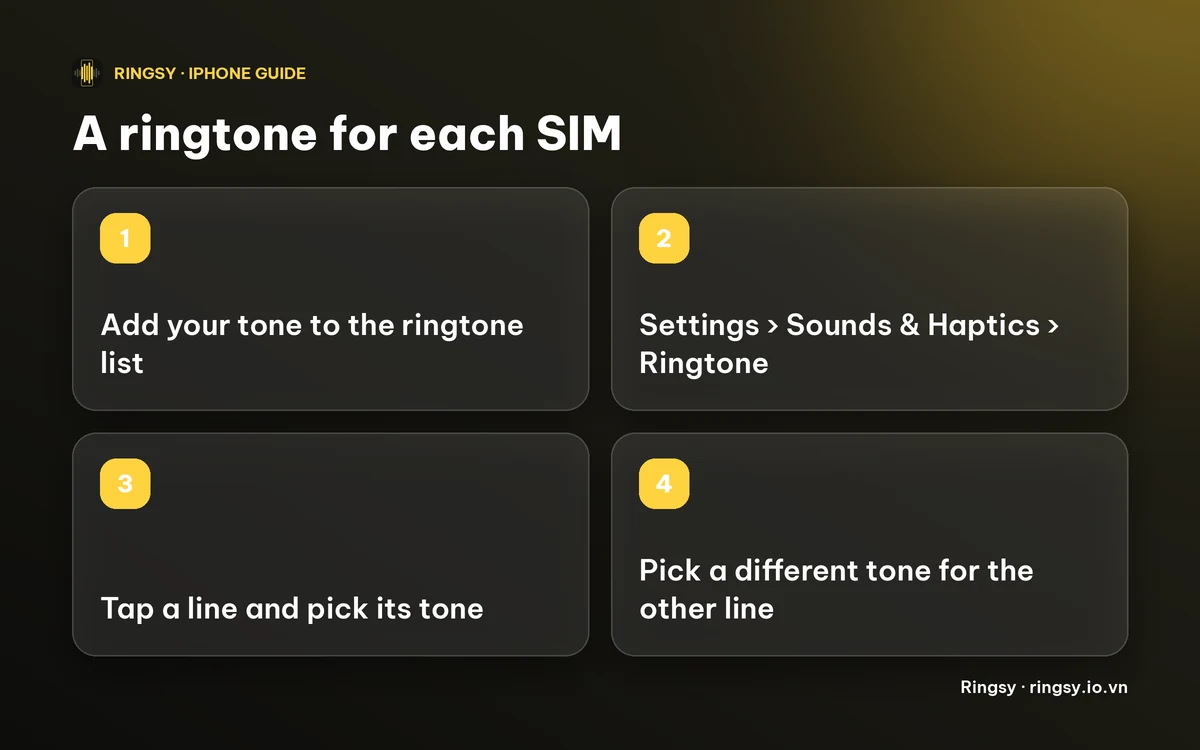
- 1Open Settings and tap Sounds & Haptics.
- 2Tap Ringtone. With two active lines, you should see them listed by their labels, such as Primary and Secondary or the names you gave them.
- 3Tap the first line and pick a tone.
- 4Go back and repeat for the second line with a different tone.
- 5Ask someone to call each number once to confirm which tone plays.
If you only see one Ringtone row, check that both lines are switched on under Settings › Cellular (or Mobile Service) and that you are on iOS 17 or later.
How do I use my own tone for one line?
Only tones in your ringtone list appear in that menu, so a custom tone has to be added first. It must be under 30 seconds. Once it is in the list, it shows under Ringtones and you can choose it for either line.
A practical pattern is to leave the personal line on a standard tone and give the work line something distinctive that you will notice in a pocket, such as a short sound that does not resemble anything else you hear.
Our guide on changing your ringtone covers the steps for the usual route, and the custom vibration guide shows how to add a matching vibration.
What if my iOS has no per-SIM option?
- Give the tone to people instead of lines. Our guide on setting a ringtone for one contact shows how. This tells you who is calling rather than which of your numbers they dialled, but for a work line it often amounts to the same thing.
- Update to iOS 17 or later if your iPhone supports it.
- Check that the second number is a real cellular line. Apps that give you a second number do not appear as a SIM in Settings, and their calls use the app’s own sound.
How Ringsy fits in
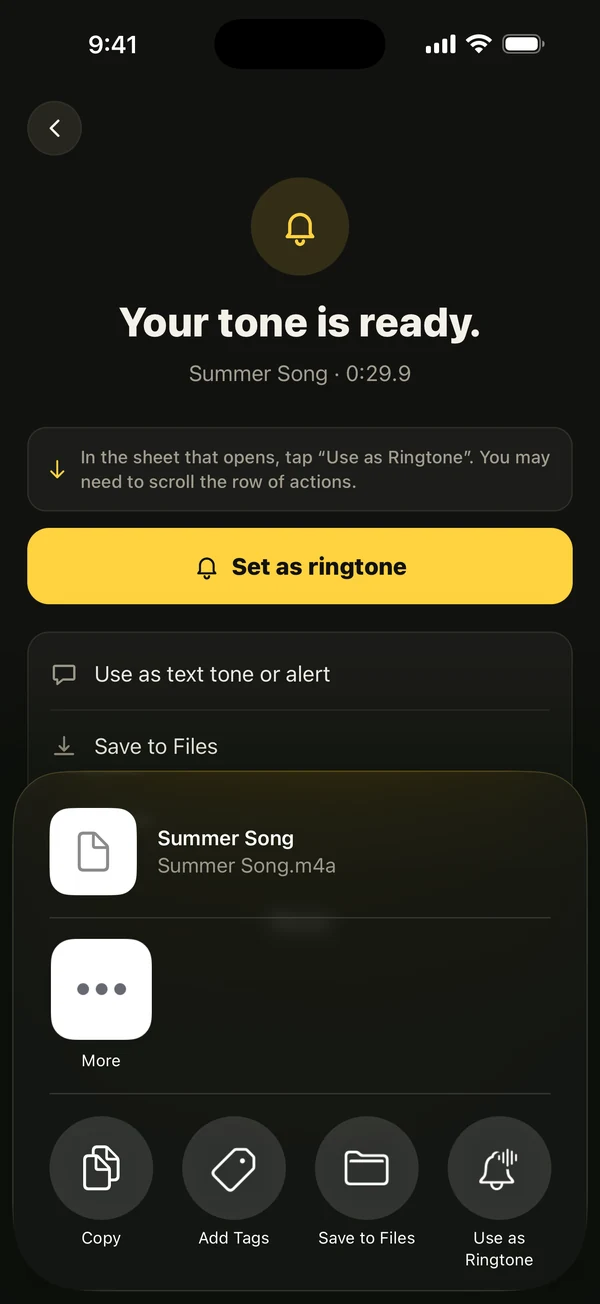
Ringsy does not choose which line uses a tone; that last step is always yours, in Settings. What it does is make the tone. Pick a song file, a video’s soundtrack or a recording, trim it on the waveform and tap “Save & set as ringtone”, which on iOS 26 opens the share sheet with “Use as Ringtone”. On iOS 17–18 it walks you through GarageBand.
Making a tone is available on the free plan, which includes two exported ringtones. Ringsy Unlimited is a one-time purchase with no subscription.
Quick facts
- Per-SIM ringtones: Settings › Sounds & Haptics › Ringtone, on iOS 17 and later.
- Both lines must be active; we found no such setting on iOS 16 or earlier.
- A custom tone must be under 30 seconds and in your ringtone list first.
- Calls through apps use the app’s own sound, not the SIM ringtone.
Frequently asked questions
- Can I set a different ringtone for each SIM on iPhone?
- Yes, on iOS 17 and later: Settings › Sounds & Haptics › Ringtone, then pick each line and choose its tone. We found no such setting on iOS 16 or earlier.
- Does this work with an eSIM?
- Reports we found say it works with two physical SIMs or any mix of SIM and eSIM, as long as both lines are active.
- Can I use my own tone for a SIM?
- Yes. Add your tone to the ringtone list first (under 30 seconds); it then appears in the list for each line.
- Does Ringsy assign the ringtone to a SIM?
- No. Ringsy makes the tone and adds it to your iPhone; you pick it for each line in Settings yourself.