iPhone alarm not going off or no sound? 8 things to check
Published November 3, 2026 · 6 min read
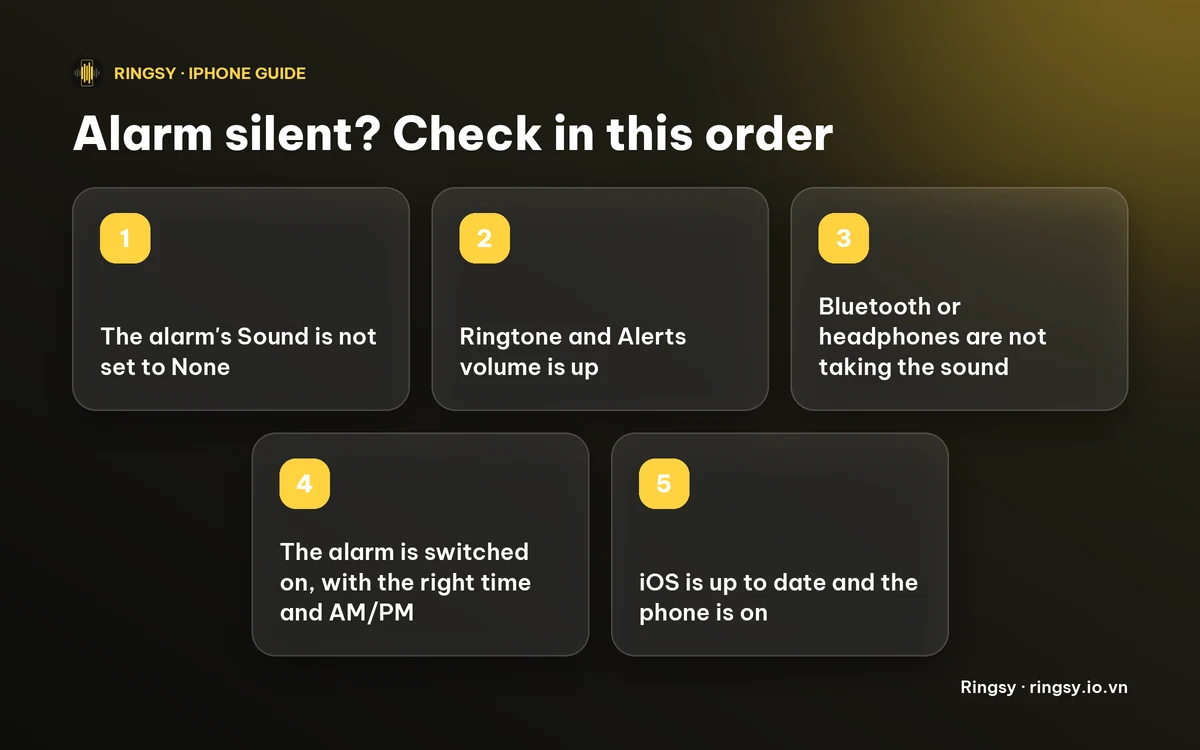
When an iPhone alarm does not wake you, the cause is usually a setting rather than a fault: the alarm's Sound is set to None, the volume is low, the sound is going to Bluetooth, or the alarm is off or set for the wrong time. Work through the checks below from the top, then set a test alarm to confirm.
Menu names can differ a little between iOS versions, so use these as a map rather than exact wording.
1. Is the alarm's Sound set to None?
Open Clock › Alarms › Edit, tap the alarm, then tap Sound. If the choice at the bottom is None, the alarm can only vibrate. Pick a tone under Ringtones, or a song from your library.
While you are there, look at Haptics at the top of the same screen: with Haptics also set to None, the alarm has no sound and no vibration at all.
2. Is the volume turned down?
The alarm volume follows the Ringtone and Alerts slider in Settings › Sounds & Haptics, not the media volume. Raise it, and if Change with Buttons is on, remember that the side buttons can lower it again. The Ring/Silent switch does not stop a Clock alarm.
3. Is the sound going to Bluetooth or headphones?
If AirPods, a speaker or a car is connected, the alarm may play there instead of on the phone, which is no help if the earbuds are in a case across the room. Turn Bluetooth off for a night, or disconnect audio devices, and test again.
4. Is the alarm on, with the right time?
- Check the switch beside the alarm is green.
- Check AM and PM, which are easy to swap on a 12-hour clock, and the repeat days: an alarm with no repeat days rings once and then switches itself off.
- After travelling, check the phone is on the right time zone (Settings › General › Date & Time).
- The Sleep schedule's Wake Up alarm is separate from your regular alarms. If you have both, check each one.
5. Is a song or custom tone the problem?
- A song picked from your library that only streams may not play if the phone is offline when the alarm fires, so download it first.
- If you deleted a custom ringtone after choosing it, the alarm may no longer have a sound to play. Open the alarm's Sound and pick a tone again.
- A tone that starts with several seconds of silence can seem like an alarm that did not go off. Open the sound and listen from the start.
6. Could Attention Aware Features be lowering it?
Face ID's Attention Aware Features can lower the volume of some alerts when the phone sees you looking at it. Several guides list it as a cause of quiet alarms, but we could not find Apple saying exactly which sounds it affects. It costs nothing to test: switch it off in Settings › Face ID & Attention and compare.
7. Is the phone on, charged and up to date?
An iPhone that is switched off will not ring, and one that has run out of battery overnight will not either. Keep it charging near the bed.
If everything above looks right, restart the phone and install the latest iOS update in Settings › General › Software Update.
8. Test it, and keep a backup
Set an alarm for two minutes from now, put the phone where it sleeps, and listen to the first ten seconds. Change one thing at a time so you know what fixed it.
If an alarm matters, such as an early flight, set a second one a few minutes later, ideally on another device.
Where Ringsy helps
Ringsy cannot change these settings, and it cannot repair the Clock app. What it can do, on iOS 26 or later, is set a tone as an alarm of its own: it uses Apple's alarm framework, so it rings in Silent mode or a Focus, with Snooze. You pick the time, the repeat days and a label, and the alarms are listed in Ringsy's Settings under Alarms, each with its own switch. The first time, iOS asks you to let Ringsy schedule alarms. If you said no, Ringsy tells you where to allow it.
Ringsy is also where you make the sound itself: trim a song, a recording or a video's audio on the waveform so it starts with something audible, let Even out volume lift a quiet clip, and use Gentle wake for a sound that starts quiet and grows over 20 or 30 seconds. Before iOS 26 the Export screen has a guide for using a tone as a Clock alarm sound instead. Setting one tone as an alarm uses one of the two free exports; a tone per day, shuffle and Gentle wake are part of Ringsy Unlimited, a one-time purchase with no subscription. Sounds are edited on your iPhone and are not uploaded.
Quick facts
- Sound set to None means vibration only.
- The alarm volume follows Ringtone and Alerts, and the Silent switch does not mute a Clock alarm.
- An alarm with no repeat days rings once and then turns itself off.
- A switched-off or empty phone cannot ring.
Frequently asked questions
- Why did my iPhone alarm only vibrate?
- The alarm's Sound is most likely set to None. Open the alarm, tap Sound and choose a tone or song.
- Does the Silent switch stop the iPhone alarm?
- No. A Clock alarm rings with the Ring/Silent switch on silent. Its volume follows the Ringtone and Alerts slider, so check that instead.
- Why did my alarm not go off even though it was on?
- Check AM and PM, the repeat days, the time zone and whether Bluetooth took the sound. An alarm with no repeat days rings once and then switches itself off.
- Will a custom ringtone still work as an alarm sound?
- Yes, as long as it is still in your ringtone list. If you deleted it, open the alarm's Sound and choose it or another tone again.