How to make an iPhone ringtone easier to hear for an older parent or someone hard of hearing
Published November 8, 2026 · 6 min read
If a parent or grandparent keeps missing calls, the fix is rarely just a louder ringer. Four things work together: the volume setting, a flash or vibration for when sound is not enough, a ringtone built to be heard, and a few checks that the phone is not silencing itself.
This guide is for setting up someone else's iPhone, or your own if you are hard of hearing. Menu names change a little between iOS versions, so check the screen in front of you. None of it replaces advice from a hearing professional.
1. Set the ringer volume, then lock it
- 1Open Settings › Sounds & Haptics.
- 2Drag the Ringtone and Alerts slider most of the way to the right. The phone plays a sample as you drag, so you can judge it.
- 3Turn Change with Buttons off. With it on, the side volume buttons also change the ringer, and a phone in a pocket can be turned down without anyone noticing.
The ringer volume is separate from the media volume, so turning a video up does not help here. Our guide to a quiet ringtone covers the other causes of a low ring.
2. Add a flash and vibration for when sound is not enough
- Flash: Settings › Accessibility › Audio & Visual › LED Flash for Alerts makes the camera light blink for calls and alerts. It has an option to flash when the phone is on Silent. It helps when the phone is on a table across the room.
- Vibration: in Settings › Sounds & Haptics › Ringtone, the Vibration row picks the pattern that goes with the ring. Under Haptics, the phone can be told to vibrate when it rings. The wording differs by iOS version, from separate switches for Ring Mode and Silent Mode to a single Haptics choice, so read the options on your phone.
- Check Settings › Accessibility › Touch › Vibration. If it is off, the phone does not vibrate at all, whatever the other settings say.
- If the person wears hearing aids made for iPhone, look in Settings › Accessibility › Hearing Devices, where they are paired and managed.
3. Choose a ringtone that is easy to hear
Two ringtones at the same volume are not equally easy to notice. Some things help:
- Mid-range sounds: age-related hearing loss often affects high pitches first, and a phone speaker barely plays deep bass. A fuller tone with a clear middle (a bell, a ringing phone, a voice) is usually easier than thin high beeps or a bass-heavy song.
- Loud from the first second: a ringtone always starts at the beginning, so a soft intro is wasted. Pick a stretch that is full straight away; our guide to the best part of a song explains how.
- Steady, with few gaps: a tone with long silences between sounds can leave a quiet second right when someone is listening. A repeating, even tone is easier to catch.
- Recognisable: a familiar old phone ring is often easier than a pop song, because it means ‘phone’ at once.
The phone repeats a ringtone for as long as it rings, so you do not need a long file. The tone itself can be up to 30 seconds.
4. Check that nothing is silencing the phone
- The Ring/Silent switch or the Action button: silent mode turns calls into vibration only.
- A Focus such as Do Not Disturb or Sleep, or a call-screening setting that sends unknown numbers straight to voicemail.
- Bluetooth: if earbuds or a speaker are connected, the ring may play there instead of on the phone.
- A case or dust over the speaker grille at the bottom of the phone.
- Face ID’s Attention Aware Features can lower the ring when the phone sees you looking at it. It is easy to test by switching it off.
For a phone that does not ring at all, see our checklist for an iPhone not ringing.
5. Give the important people their own tone
If your parent only needs to catch calls from a few people, set a distinct tone for those contacts in Contacts › Edit › Ringtone. An unusual sound for ‘it’s the family’ stands out from the default. Emergency Bypass on the same screen lets that person ring through Silent mode or a Focus; use it sparingly. Our guide to a ringtone for one contact has the steps.
The tone must be on that person’s iPhone, not yours. If you made it, our guide to sending a custom ringtone to a friend’s iPhone covers how to get it there.
6. Test it like a real call
Ask someone to call the phone from another room, with the phone where it normally sits: on a table, in a bag, in a kitchen with the radio on. The real ringer volume, speaker and settings all apply, which no preview can match. Adjust and call again until the person can tell it is ringing without looking.
Where Ringsy helps
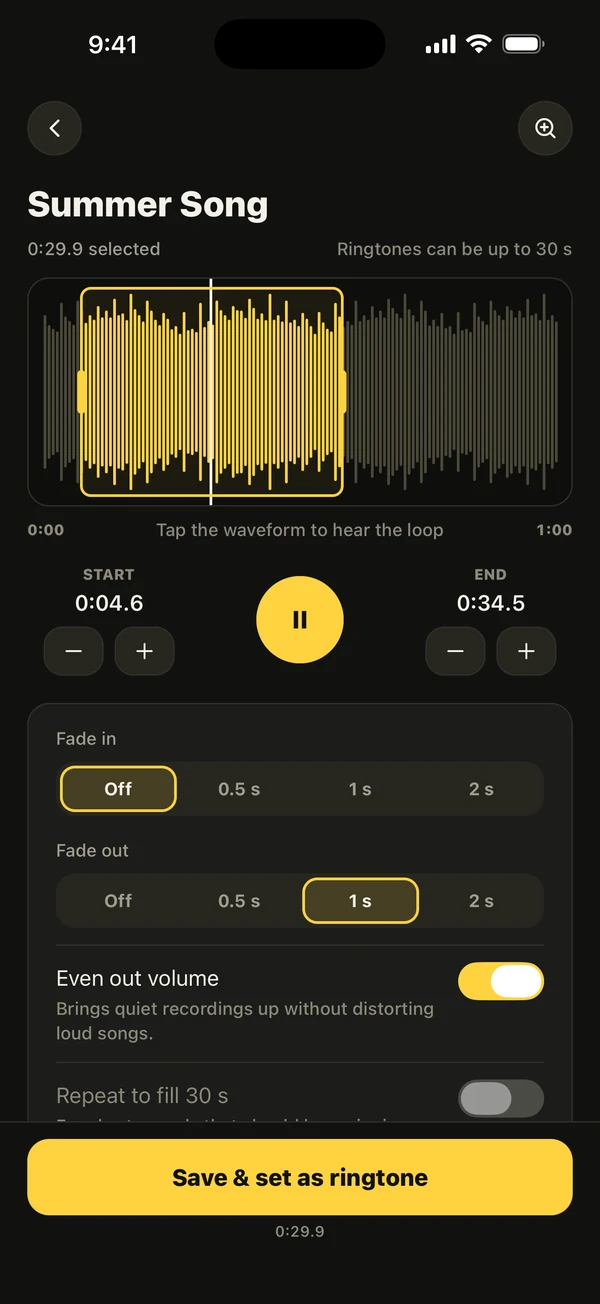
Ringsy makes the tone; it does not change iOS settings such as the flash, vibration or Silent mode, and it cannot assign a ringtone to a contact. In Ringsy you can pick a sound (a song file, a video’s soundtrack, a recording or a built-in sound), drag the yellow frame to a stretch that is loud from the first second, and keep Even out volume on, which is its default and brings a quiet source up without clipping loud ones. The selection stops at 29.9 seconds.
‘Hear it as a call’ plays the finished tone full screen, repeating, with a haptic pulse, so you can judge the loop before setting it. On iOS 26 and later, Save & set as ringtone opens the share sheet with Use as Ringtone; on iOS 17 and 18 Ringsy guides you through GarageBand. Sounds are processed on the iPhone and never uploaded. Two exports are free; Ringsy Unlimited is a one-time purchase with no subscription. Use only sounds you have the right to use.
Quick facts
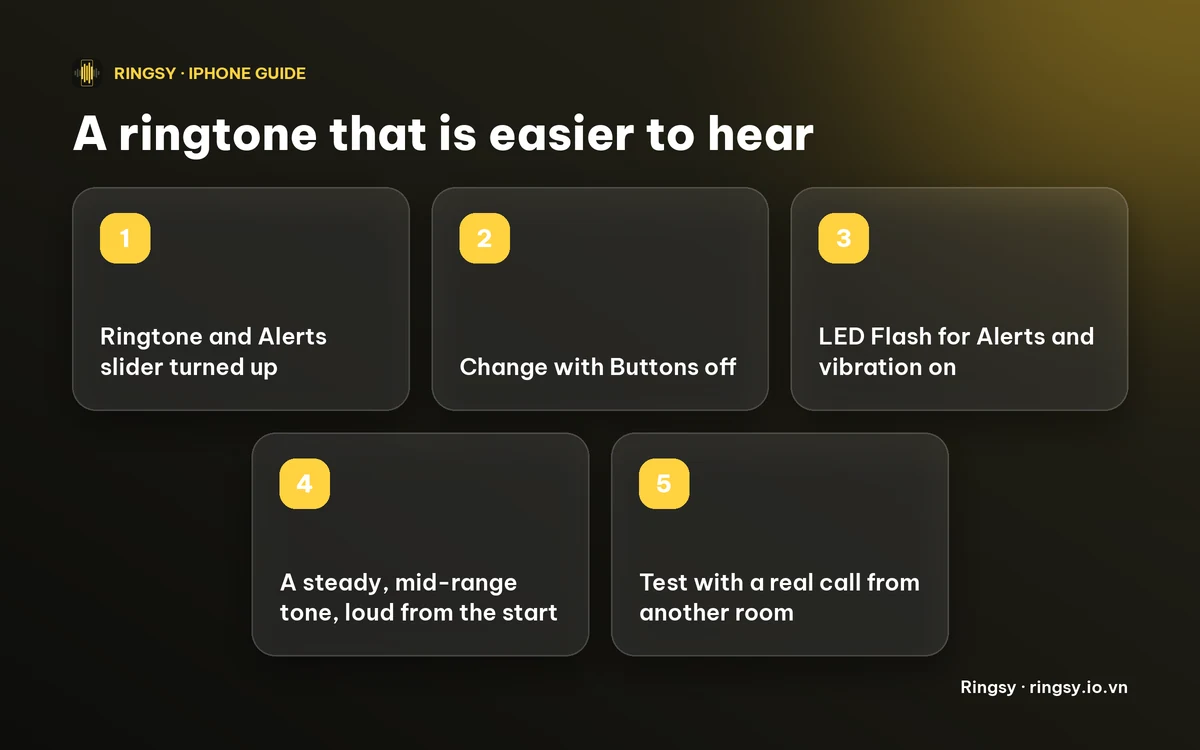
- Raise the Ringtone and Alerts slider and turn Change with Buttons off.
- LED Flash for Alerts and vibration help when sound is not enough.
- Choose a mid-range, steady tone that is loud from the first second.
- Rule out Silent mode, a Focus, Bluetooth and a blocked speaker, then test with a real call.
Frequently asked questions
- How do I make my iPhone flash when it rings?
- Open Settings › Accessibility › Audio & Visual and turn on LED Flash for Alerts. There is an option to flash on Silent as well. Menu names can differ slightly between iOS versions.
- What kind of ringtone is best for someone hard of hearing?
- A steady, mid-range tone that is loud from its first second, such as a bell or a classic phone ring. Thin high beeps and bass-heavy songs are often harder to notice. Always test it on the phone's own speaker.
- Why does my parent's iPhone not ring even with the volume up?
- Check the Ring/Silent switch, a Focus, Bluetooth, call screening for unknown numbers and Attention Aware Features, and make sure vibration is not switched off in Accessibility.
- Can Ringsy turn on the flash or vibration?
- No. Those are iOS settings. Ringsy makes the ringtone itself, including a louder, evened-out version, and you set the flash and vibration in Settings.