How to change the timer sound on iPhone (and use your own tone)
Published October 27, 2026 · 5 min read
To change the timer sound on an iPhone, open Clock › Timer, tap When Timer Ends, and pick a tone from the list. Any ringtone you have added, including your own, appears there too. The timer has one sound for all timers; it is not set per timer the way an alarm’s sound is.
This guide covers the steps, how to get your own sound into that list, and what to try if you keep missing the timer.
How do I change the timer sound?
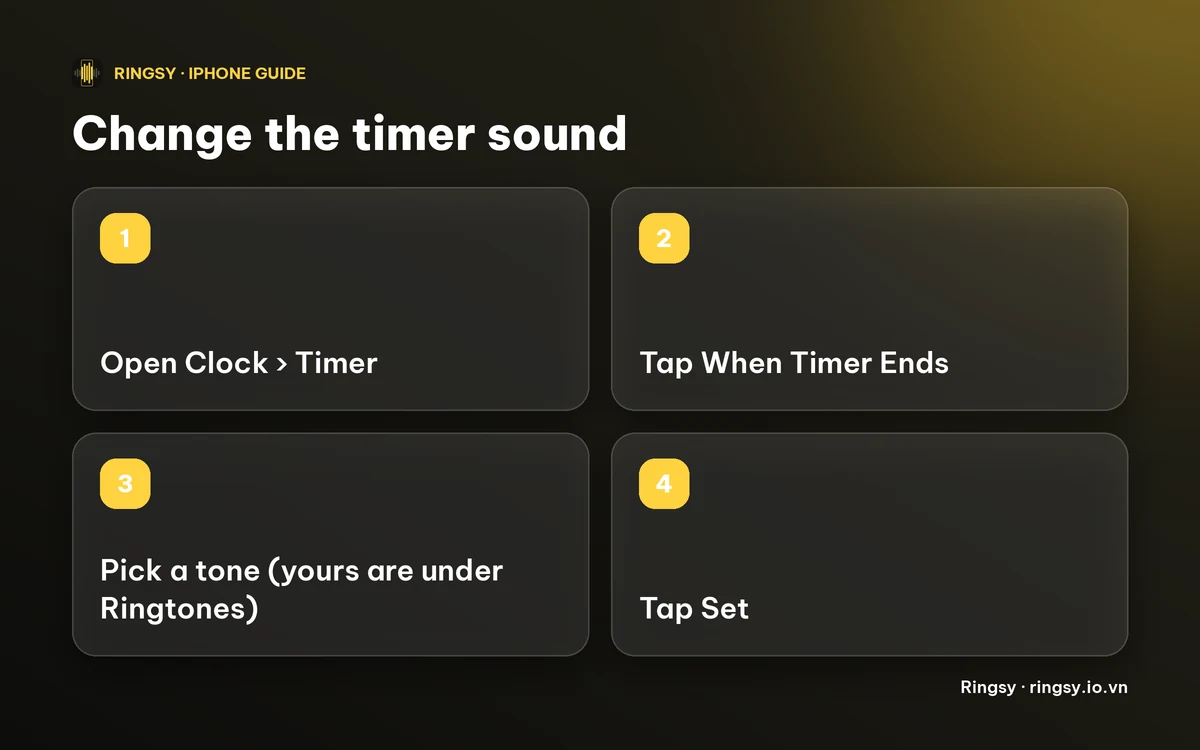
- 1Open the Clock app and tap Timer.
- 2Tap When Timer Ends.
- 3Tap a tone to hear it, and tick the one you want. Your own ringtones are listed under Ringtones, and Apple’s tones are below them.
- 4Tap Set in the top corner to save it.
Menu names can differ slightly between iOS versions, so if you do not see these exact words, look for the same row on the Timer screen.
Is the timer sound set per timer?
No. When Timer Ends is a single setting, so the tone you pick is the one every timer uses, including a timer you start by asking Siri. If you want a different sound for one particular countdown, there is no per-timer sound; change the setting before you start it.
That also means your timer sound is separate from your alarm sounds. Changing an alarm’s tone does not change the timer, and the other way round.
Can I use my own sound as the timer sound?
Yes, with one detour: the list shows ringtones, so the sound has to become a ringtone first.
- iOS 26 or later: share an audio file from Files (or a recording from Voice Memos) and choose “Use as Ringtone”.
- iOS 17 or 18: export it as a ringtone from Apple’s free GarageBand app.
Then go back to Clock › Timer › When Timer Ends and pick it under Ringtones. A ringtone must be under 30 seconds. For a timer, a clear sound that you can hear from across a kitchen or workshop works better than a long song.
What makes a good timer sound?
- It starts audible. A song with a quiet intro can make you miss the first few seconds.
- It is different from your ringtone and alarm. If all three sound alike, you will reach for the phone at the wrong moment.
- It cuts through background noise. A short, bright, repeated sound carries better than a low one. Our guide to making a ringtone louder covers evening out quiet clips.
- It does not clash with a call. A timer that sounds like your ringtone is easy to mistake for an incoming call.
My timer is too quiet. What can I do?
First test it: start a one-minute timer, put the phone where you usually leave it and listen. Then try these, in order.
- 1Check the Ringtone and Alerts volume in Settings › Sounds & Haptics. Alarms and timers are not controlled by the media volume.
- 2Pick a louder, brighter tone, or make one with Even out volume on.
- 3Make sure Do Not Disturb or a Focus is not hiding the sound, by testing with it on and off. Behaviour can depend on your iOS version.
- 4If you use an Apple Watch, check whether the timer rings there too, as it can duplicate the alert.
How Ringsy fits in
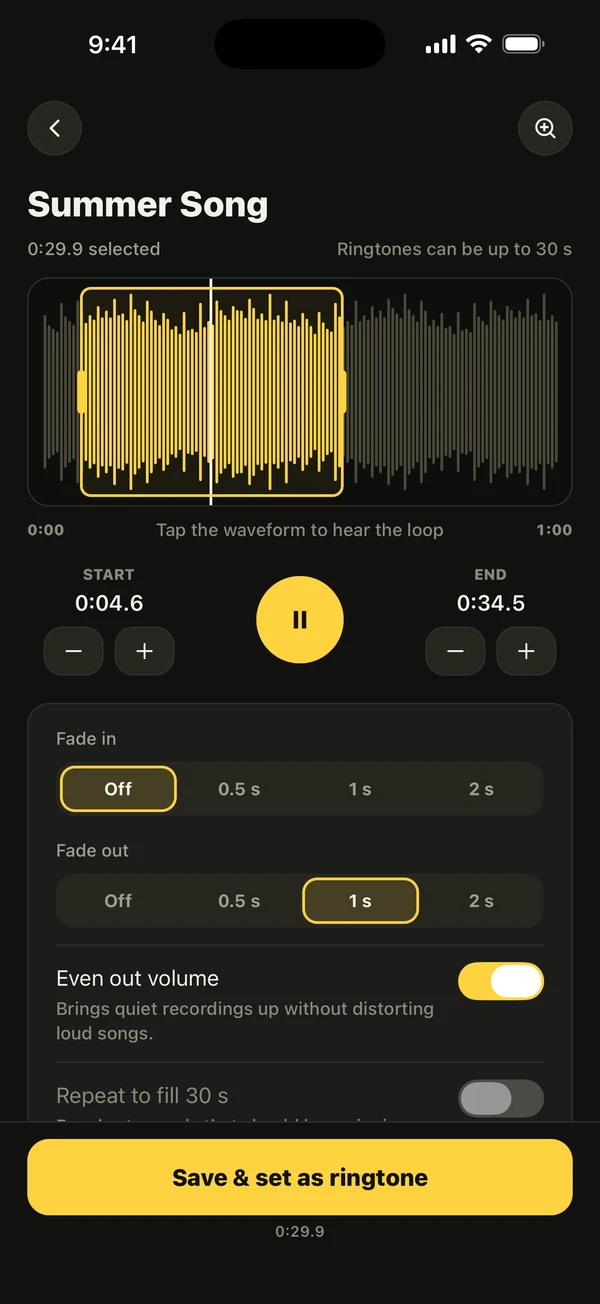
Ringsy does not set the timer sound for you, because iOS keeps that setting inside Clock. What it does is make the sound: pick a song file, a video’s soundtrack or a recording, trim it to a short clip on the waveform, and Even out volume brings a quiet clip up. “Save & set as ringtone” adds it to your iPhone’s tones, and you then choose it in Clock yourself.
Everything happens on your iPhone, with no account. The first two ringtones are free; Ringsy Unlimited is a one-time purchase, not a subscription.
Quick facts
- Clock › Timer › When Timer Ends sets the sound for every timer.
- Your own ringtones appear in that list under Ringtones.
- A ringtone must be under 30 seconds.
- Ringsy makes the tone; you choose it in Clock.
Frequently asked questions
- How do I change the timer sound on my iPhone?
- Open Clock › Timer, tap When Timer Ends, choose a tone and tap Set. Your own ringtones are listed there too.
- Can I set a different sound for each timer?
- No. The timer has a single When Timer Ends setting that applies to every timer.
- Can I use a song or my own sound as the timer sound?
- Turn it into a ringtone first, then pick it under Ringtones in When Timer Ends. A ringtone must be under 30 seconds.
- Does Ringsy set the timer sound for me?
- No. Ringsy makes the ringtone and adds it to your iPhone; you then choose it in Clock yourself.