How to make your iPhone ring longer before voicemail
Published October 20, 2026 · 5 min read
You can’t change it in iPhone’s settings. How long a call rings before it goes to voicemail is set by your carrier, usually somewhere around 20 to 30 seconds, and a longer or looping ringtone does not extend it. What you can fix is a ringtone that seems to stop early: a very short tone that plays once and goes quiet.
This guide separates the two problems, explains what to ask your carrier for, and shows how to make a short sound keep ringing for as long as the phone rings.
Why does my iPhone stop ringing so soon?
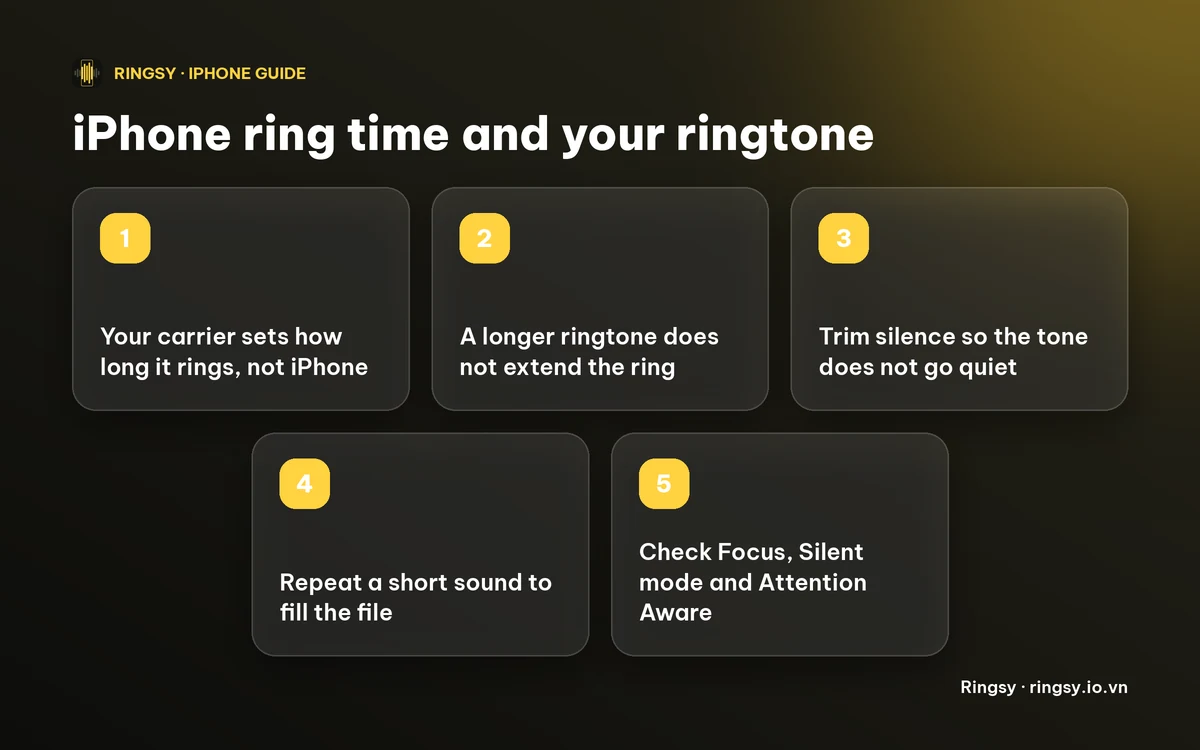
The iPhone rings until your carrier’s network gives up on the call and sends the caller to voicemail. That timer lives on the carrier’s side, so it is the same whichever ringtone you pick, and it is measured in seconds rather than in rings. Carriers differ, and reports from users range from about 20 to 30 seconds, roughly three to six rings.
A ringtone can only be shorter than the call: iOS accepts a custom ringtone only if it is under 30 seconds, and the phone plays it again from the start for as long as the call rings.
Can I change how long it rings?
Not on the iPhone itself. Apple has no setting for the number of rings or the time before voicemail. The people who can change it are your carrier:
- 1Contact your carrier and ask whether the “no answer” or “ring time” before voicemail can be changed on your line.
- 2Expect limits. Some carriers allow only a small change, some let you pick between a few values, and some don’t allow any. If the carrier offers voice features such as Live Voicemail, ask whether they change the timing.
- 3Be wary of codes or tricks you find in forums. They are carrier-specific, and what works on one network can do nothing, or worse, on another.
If you only want more time to reach the phone, a louder ring and a vibration are more reliable than hoping for a longer ring.
When it’s the ringtone that stops
If the ringing itself seems to cut off after a second or two, or the phone goes quiet in the middle of a call, check these before blaming the carrier:
- A very short ringtone. A one-second sound plays, then there is silence until it repeats. Making it longer or looping it fixes this (below).
- Silence at the end of the file. It repeats as a gap every time round. Trim it off.
- Attention Aware Features, which lower the ring volume when you look at the phone. Our guide to a quiet ringtone explains how to turn them off.
- A Focus, Silent mode or a call sent to another device. If the phone doesn’t ring at all, see our guide to an iPhone that isn’t ringing.
- Test with a built-in ringtone. If it also cuts off, the cause is a setting or the carrier rather than your custom tone.
How do I make a short ringtone keep ringing?
The iPhone repeats a ringtone on its own, but the repeat comes with the file’s own silence, and a clip that ends abruptly can click at the seam. To get a tone that runs steadily for the whole ring:
- 1Trim the silence from the start and end of the clip.
- 2Repeat the sound to fill the file, up to 29 seconds or so, so that it rings continuously instead of once and quiet.
- 3Make the repeats match: end where the sound looks like its start, or use a loop tool that blends the seam.
- 4Set it: on iOS 26 or later share the audio file and tap Use as Ringtone; on iOS 17 or 18, export through GarageBand with Share › Ringtone.
Our guide to making a ringtone loop without a click or gap covers the seam in detail.
Where Ringsy helps
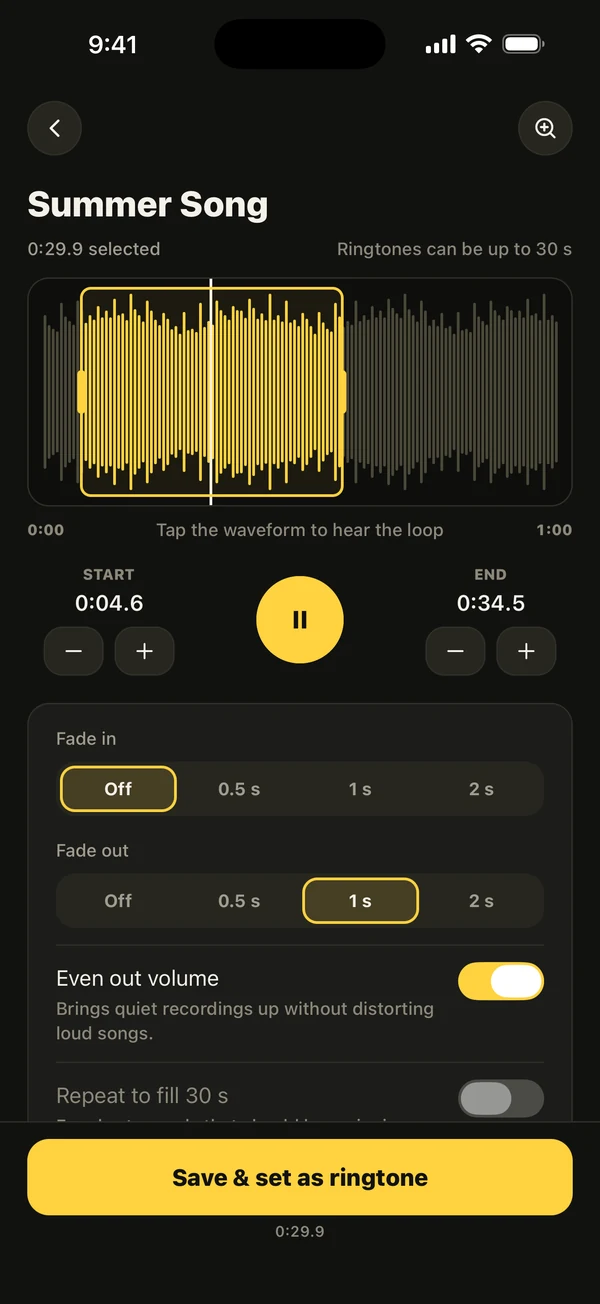
Ringsy, our ringtone maker for iPhone, has a switch for exactly this. In the editor, turn on “Repeat to fill 30 s” (it is off by default) and a short sound is repeated until the tone fills the 30-second limit, and the selection can never run past 29.9 seconds. The hint under the switch reads “For short sounds that should keep ringing.”
Smooth loop in the Loop tool finds a point that repeats cleanly and blends the seam, and a looping preview lets you hear how the phone will repeat it. Tap Save & set as ringtone to finish: Use as Ringtone on iOS 26 and later, a guided GarageBand route on iOS 17 and 18.
Sounds are edited on your iPhone and are not uploaded. The first two exported ringtones are free; after that Ringsy Unlimited is a one-time purchase with no subscription, and Smooth loop exports are part of it. Ringsy cannot change how long your carrier lets the phone ring.
Quick facts
- The time before voicemail is set by your carrier, not by iPhone or by your ringtone.
- Reports put it at roughly 20 to 30 seconds; ask your carrier whether it can be changed.
- A custom ringtone must be under 30 seconds and repeats until the call is answered or goes to voicemail.
- A very short or silent-ended tone sounds like the ring stopped; trim it and repeat it to fill the file.
Frequently asked questions
- Can I change how many times my iPhone rings before voicemail?
- Not in the iPhone’s settings. The time before voicemail is controlled by your carrier, so ask them whether it can be changed on your line.
- Does a longer ringtone make the iPhone ring longer?
- No. A ringtone has to be under 30 seconds and only fills the time the call rings. The call still goes to voicemail when your carrier’s timer ends.
- Why does my ringtone seem to stop after a few seconds?
- Most often the tone is very short, or it ends in silence, so you hear one sound and a gap. Trim the silence and repeat the sound to fill the file. Attention Aware Features, a Focus or Silent mode can also quiet a ring.
- How do I make a short sound ring continuously?
- Repeat it until it fills the file, up to under 30 seconds, and make the seam match. In Ringsy, turn on Repeat to fill 30 s or use Smooth loop.