Can you use a YouTube video’s sound as an iPhone ringtone?
Published October 19, 2026 · 6 min read
Not directly. YouTube has no way to set a video’s sound as a ringtone, and its own offline downloads for Premium members stay locked inside the YouTube app. For a ringtone you need the sound as an ordinary file on your iPhone, which is easy for a video you made and a grey area for someone else’s.
This guide explains what YouTube allows, the routes that are fine, and how to turn the sound into a ringtone. Most of it applies to any ringtone app, with or without Ringsy.
Why is there no “set as ringtone” for YouTube?
An iPhone ringtone is an audio file under 30 seconds that the Settings app can list. A YouTube video is a stream that plays inside YouTube. The app does not hand its audio to other apps, and a download made with YouTube Premium is kept inside the app too: it will not appear in Files or Photos.
YouTube’s Terms of Service also say you may not download content unless the service itself offers a way to do it, or you have written permission from YouTube and the rights holder. That is why this guide does not point you to downloader websites. They break that rule, and many are cluttered with ads or worse.
Which routes are fine?
- A video you uploaded yourself. In YouTube Studio on a computer, the menu on your video’s row has a Download option for your own uploads. You probably still have the original file in Photos, too, which is simpler.
- A video you filmed or were sent. If a friend sent you the clip, it is already a file; save it to Photos.
- A video from someone who gives permission. Ask the creator. Some musicians and sound designers publish tones for free use and link a download.
- A built-in tone or your own recording instead. If the sound you like is a song, see our guide to Spotify and Apple Music songs, which has the same limits.
What about screen recording the video?
iPhone’s screen recording (Control Center › Screen Recording) captures what the screen shows and the sound the phone is playing, and it keeps the microphone off unless you turn it on. So technically you can record a video as it plays in YouTube and take the sound from the recording in Photos.
It is still copying someone else’s content, so it is only reasonable for a short personal ringtone on your own phone, never for sharing or selling. Expect the sound to include anything else that plays during the recording, such as a notification, so turn on Do Not Disturb first.
From the video to a ringtone
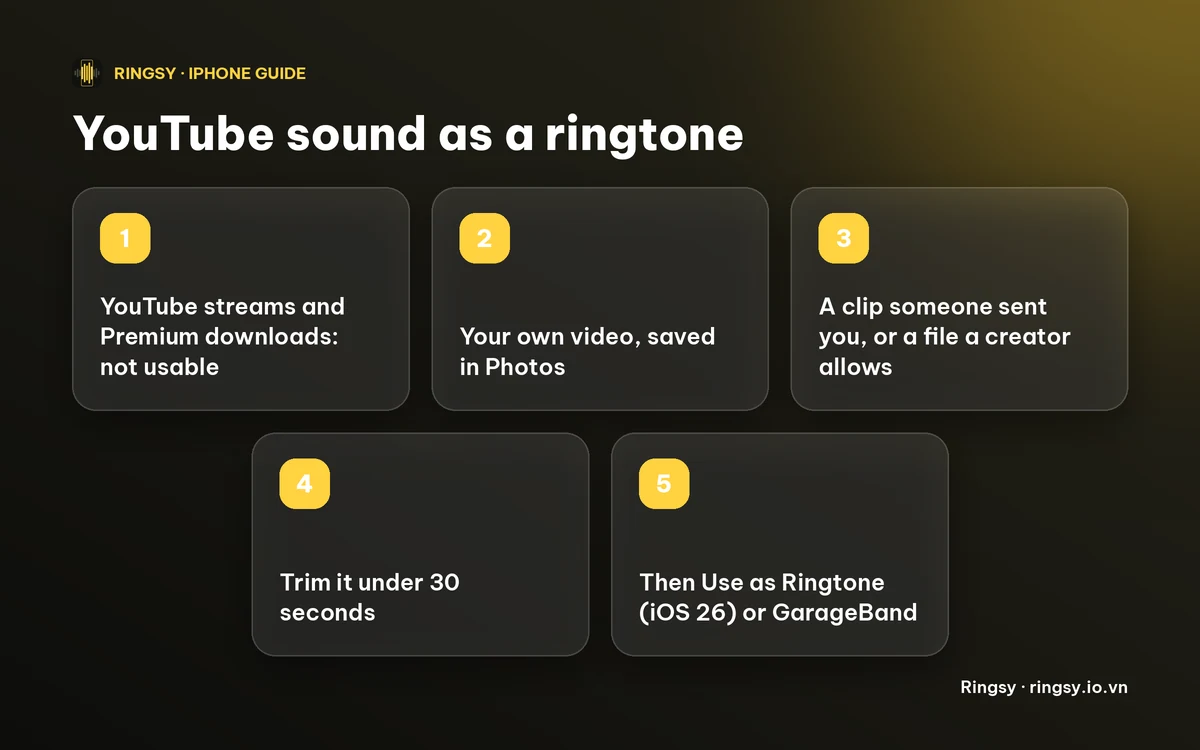
- 1Make sure the video is in your Photos library.
- 2Take the sound out and trim it. With Apple’s free apps, build a Shortcuts shortcut with Encode Media set to Audio Only, then trim in GarageBand; our guide to turning a video’s sound into a ringtone has the steps.
- 3Keep it under 30 seconds and start on the part you want to hear, since a ringtone plays from second zero.
- 4On iOS 26 or later, touch and hold the audio file in Files, tap Share, then Use as Ringtone. On iOS 17 or 18, export through GarageBand with Share › Ringtone.
- 5Pick it in Settings › Sounds & Haptics › Ringtone, or per person in Contacts › Edit › Ringtone.
Where Ringsy helps
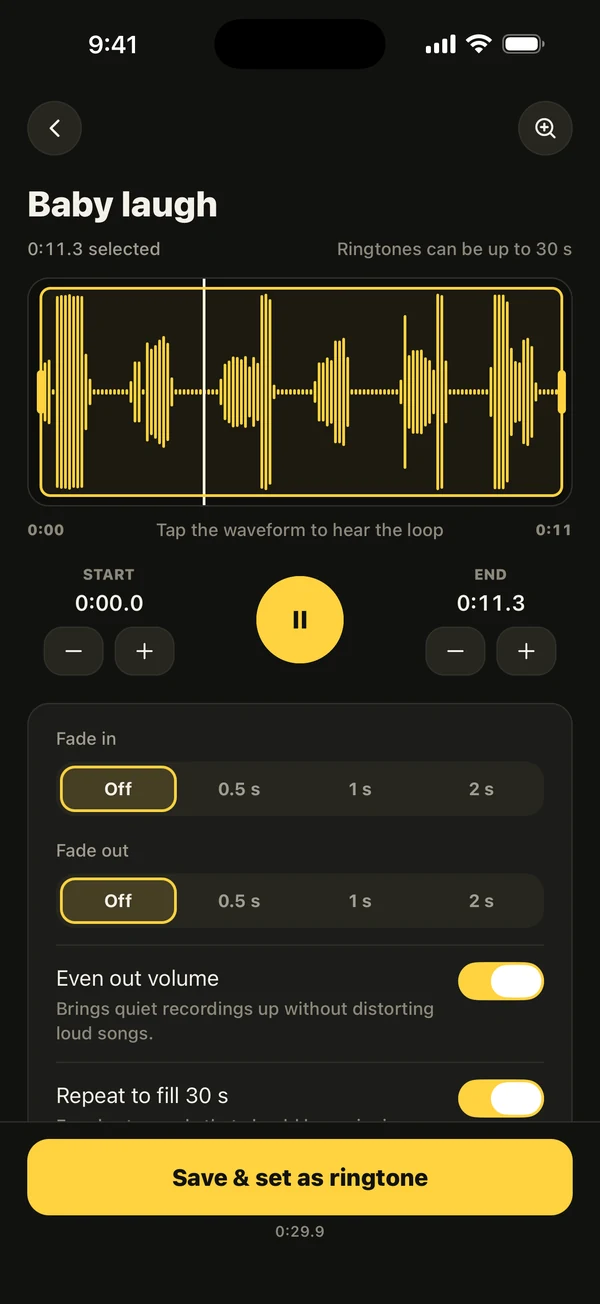
Ringsy does steps 2 to 4 in one place. Tap Video, pick the clip from Photos, and its sound opens on a waveform. Drag the yellow frame to the part you want (it stops at 29.9 seconds), use Best part for a suggestion, add a fade, and tap Save & set as ringtone. On iOS 26 and later the share sheet opens with Use as Ringtone; on iOS 17 and 18 Ringsy guides you through GarageBand. If a file has no sound, it says “This file has no sound to make a ringtone from.”
The video is only read for its sound, nothing is uploaded, and the first two exported ringtones are free. After that Ringsy Unlimited is a one-time purchase with no subscription. Ringsy does not connect to YouTube and cannot download from it.
Quick facts
- YouTube has no ringtone option, and Premium downloads stay inside the YouTube app.
- YouTube’s terms do not allow downloading except as the service offers or with permission.
- Your own videos are the safe source; a clip someone sent you is a file already.
- A ringtone must be under 30 seconds.
- iOS 26 or later: Use as Ringtone. iOS 17 or 18: GarageBand.
Frequently asked questions
- Can I set a YouTube video as my iPhone ringtone?
- Not directly. YouTube has no ringtone option and its downloads cannot leave the app. You need the sound as a normal file you have the right to use, trimmed under 30 seconds.
- Can I use a song I heard on YouTube as a ringtone?
- Only from a copy you own as a plain audio file, or with the artist’s permission. A song streamed on YouTube, Spotify or Apple Music cannot be exported.
- Does Ringsy download from YouTube?
- No. Ringsy reads a video that is already in your Photos library, or a file you share to it, and takes its sound on your iPhone.
- How long can the ringtone be?
- Under 30 seconds. Ringsy stops a selection at 29.9 seconds so a finished tone is always within the limit.