Free iPhone ringtones without copyright worries: where to find sounds you can actually use
Published November 13, 2026 · 6 min read
The safest free ringtone is a sound nobody else owns: one you recorded, one Apple ships with the phone, one a creator has released into the public domain, or one an app made itself. A popular song is different, because copyright still covers it even when you only want 30 seconds for your own phone.
This guide lists where to find sounds you can use without that worry, how to read a licence label in ten seconds, and how to turn the sound into a ringtone. It is general information, not legal advice, and the rules differ from country to country.
Why “free” is not the same as “free to use”
Many “free ringtone” sites offer clips of current songs. Free to download does not mean the owner agreed to it. Our guide on using a Spotify or Apple Music song explains why those files are locked and what you can do with music you own.
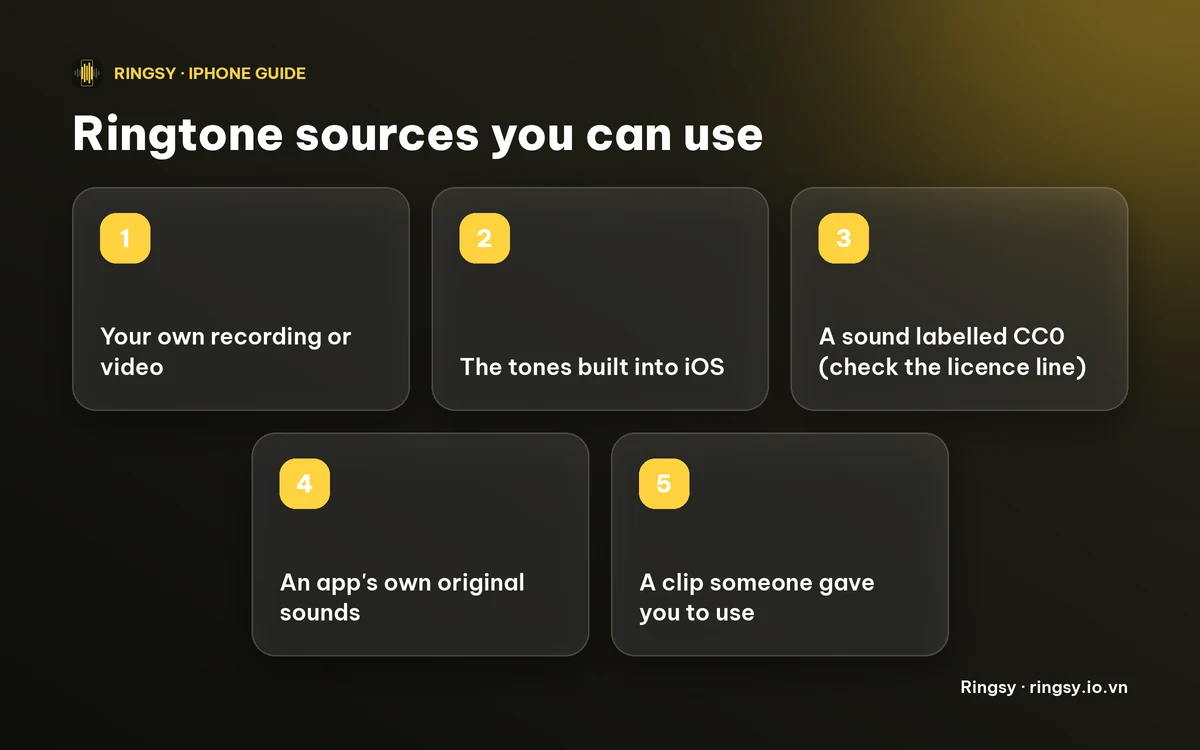
A sound is safe to use when one of these is true:
- You made it yourself (a recording, a video you shot).
- It came with your iPhone or from an app that created it.
- Its owner released it with a licence that allows this, such as Creative Commons CC0 (“no rights reserved”).
- The person who owns it gave it to you for this purpose.
1. Record your own
Your voice saying your name, a laugh, a doorbell, a guitar riff you played, birdsong in your garden. Nobody else owns it, and it is the one ringtone that is impossible to hear on someone else’s phone.
Record it in Voice Memos or inside a ringtone app, trim it to the part you want, and keep it under 30 seconds, which is the most iOS accepts for a ringtone. For a text tone, one to three seconds is plenty. Our guide on making a funny voice ringtone has ideas.
2. Use the tones already on your iPhone
Open Settings › Sounds & Haptics › Ringtone. The list holds Apple’s built-in ringtones and alert tones, and there is nothing to download or license. If you only wanted something different from the default, this is the quickest option.
Apple also sells extra tones in the Tone Store, reached from the top of the same list, if you would rather pay a little than hunt for a sound.
3. Search CC0 and other open sound libraries
Some sound libraries let you filter by licence. Freesound, for example, has a licence filter, and BigSoundBank describes its sounds as CC0. We have not checked every file on those sites, so open the licence line on the sound you pick before you rely on it.
How to read the label:
- CC0: the owner gives up their rights. No credit needed, and any use is fine.
- CC BY: free to use, but the creator asks for credit. For a private ringtone nobody sees that credit, but keep the link if you share it.
- “Non-commercial” (NC): fine for your own phone, not for selling.
- “All rights reserved”, or no licence shown: assume you may not use it.
Download the sound to the Files app on your iPhone. MP3, M4A and WAV all work with a ringtone maker.
4. Pick sounds an app made itself
Some ringtone apps generate their own sounds instead of shipping recordings. Ringsy’s 50 built-in sounds are original and are generated on your iPhone; no audio files are included. They cover ringtones, short alert tones, retro 8-bit, nature, gentle alarms and seasonal packs. That makes them a convenient answer to “I just want something that is not a song”.
Whichever app you use, look for the app’s own statement of where its sounds come from. A claim of “public domain” on an app store page is the developer’s statement, not proof.
5. Ask for a clip you may use
A friend’s voice message, a video of your child, a clip from a creator who says in the description that you may reuse it. If it is a person’s voice, ask first. A ringtone made from someone’s voice message is a private keepsake, but it is polite to check.
What about a song you love?
Copyright still applies to a song you bought or stream. Many people treat a clip used only as a ringtone on their own phone as low-risk personal use, but that is not a legal guarantee, and Apple’s own terms for music you buy can restrict it. Publishing, sharing or selling ringtones made from other people’s songs is where real trouble starts.
If a particular song matters to you, the clean routes are Apple’s Tone Store, a version the artist offers as a ringtone, or music you recorded or licensed yourself.
How to turn the sound into a ringtone
- 1Save the audio to Files, or record it.
- 2Trim it to under 30 seconds, starting right at the sound so there is no silent gap before it.
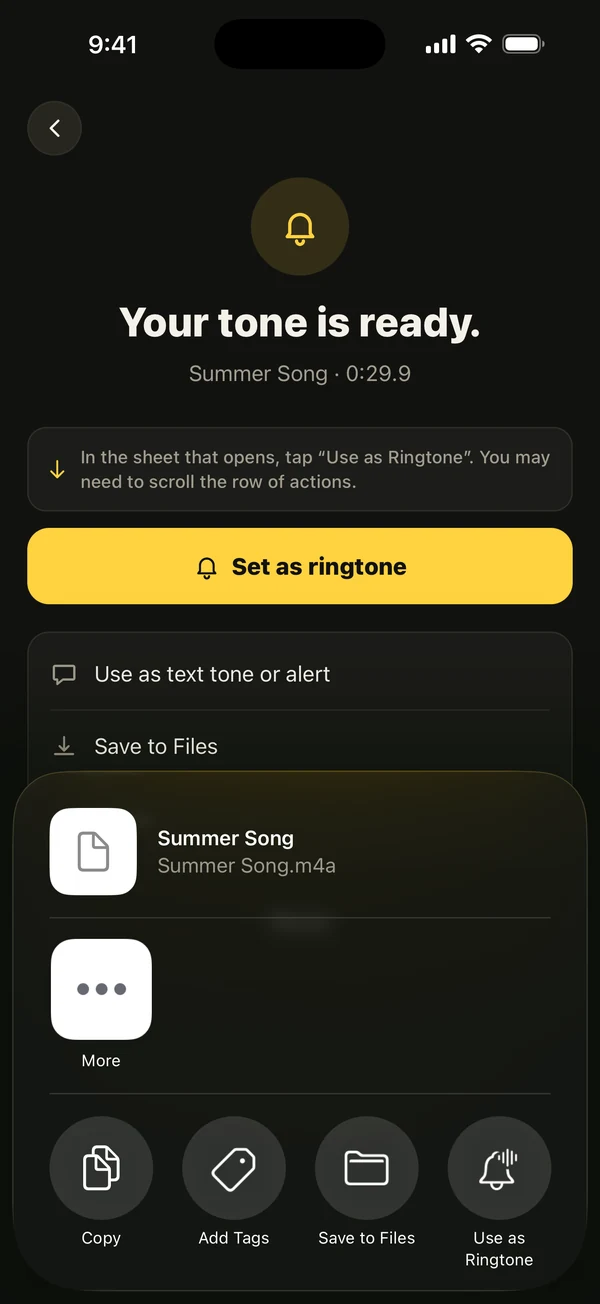
- 3On iOS 26, use Share › Use as Ringtone. On iOS 17 and 18, export a ringtone from GarageBand instead.
- 4Open Settings › Sounds & Haptics › Ringtone and pick it. Custom tones are at the top of the list.
Our guide to making a ringtone without a computer walks through both routes in detail.
Where Ringsy helps
Ringsy cuts the sound for you: pick a file, a video from Photos, a recording, or one of its 50 original sounds, zoom the waveform, trim to the exact start, and add a fade if you want one. Sounds are processed on your iPhone and never uploaded, and there is no account. Two exports are free; Ringsy Unlimited is a one-time purchase with no subscription.
Ringsy does not sell or supply music, and it does not decide the licence of a file you bring: that part is yours to check.
Quick facts
- Safe sources: your own recordings, Apple’s built-in tones, CC0 sounds, an app’s original sounds, a clip you were given.
- Free to download does not mean free to use.
- Check the licence line: CC0 is the clearest, CC BY asks for credit, NC is for personal use only.
- iOS ringtones can be up to 30 seconds.
- This guide is general information, not legal advice.
Frequently asked questions
- Are free ringtones from websites legal?
- It depends on the site and the sound. If the sound is original or released under a licence such as CC0, yes. If it is a clip of a current song, the site probably has no right to give it away, and copyright can still apply to you. Check the licence on each sound.
- Where can I get copyright-free ringtones for iPhone?
- Record your own, use the tones built into iOS, search a library that labels sounds CC0, or use an app whose sounds it generates itself. Then trim to under 30 seconds and add it as a ringtone.
- Can I use a copyrighted song as a ringtone on my own phone?
- Copyright still covers the song. Using a short clip only on your own phone is widely seen as low-risk, but it is not a legal guarantee and the law varies by country. Sharing or selling such ringtones is the risky part. For legal certainty, ask a lawyer or use a licensed tone.
- Does Ringsy include copyright-free sounds?
- Ringsy includes 50 original sounds generated on your iPhone, with no audio files shipped. Two exports are free; Ringsy Unlimited is a one-time purchase.