Ringsy vs GarageBand for making iPhone ringtones
Published October 1, 2026 · 6 min read
GarageBand is Apple’s free music studio and has long been the standard way to make a ringtone on iPhone without a computer. Ringsy is a ringtone maker built around that one job. Both produce a normal iPhone ringtone; the difference is the number of steps and the tools around the trim.
Short version: if you already know GarageBand or want to make music, use it. If you just want a sound trimmed, loud enough and set, Ringsy is quicker.
How do they compare at a glance?
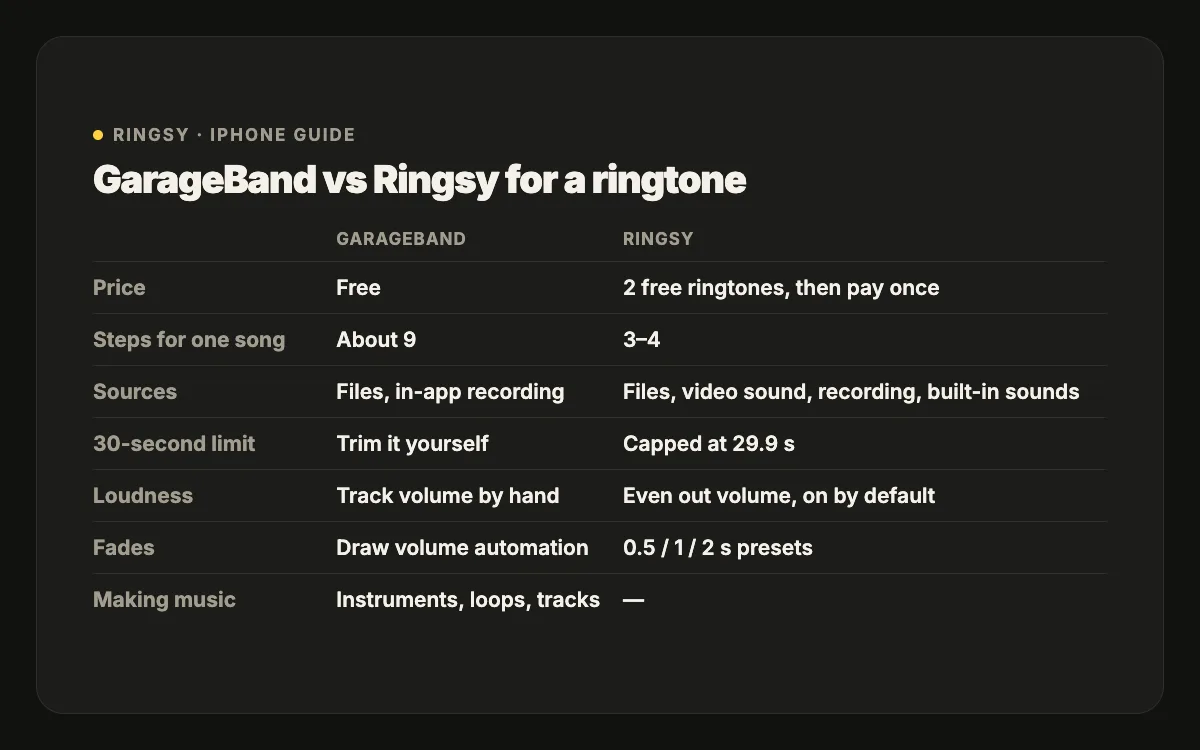
- Price: GarageBand is free. Ringsy is free to download with two free exported ringtones; Ringsy Unlimited is a one-time purchase.
- iOS: GarageBand needs a recent iOS from the App Store. Ringsy needs iOS 17 or later.
- Steps for a song: GarageBand takes about nine (new project, Tracks view, import, place, trim, save, share as Ringtone). Ringsy takes three or four (pick, trim, save & set).
- Setting the tone: GarageBand assigns it right after export, on any iOS. Ringsy uses “Use as Ringtone” on iOS 26 and, on iOS 17–18, guides you through GarageBand’s export.
- Sources: GarageBand imports files and records in the app. Ringsy opens files, the soundtrack of a Photos video, a recording, or its own original sounds.
- Making music: GarageBand has instruments, loops and multi-track editing. Ringsy doesn’t.
Which is quicker for a single ringtone?
In GarageBand you set up a project for each ringtone: create an Audio Recorder project, switch to Tracks, browse Files, drag the clip to the start, turn off the metronome, trim, and sometimes extend Section A so the clip isn’t cut at eight bars. Then you export from My Songs. It is reliable, and quick once memorised.
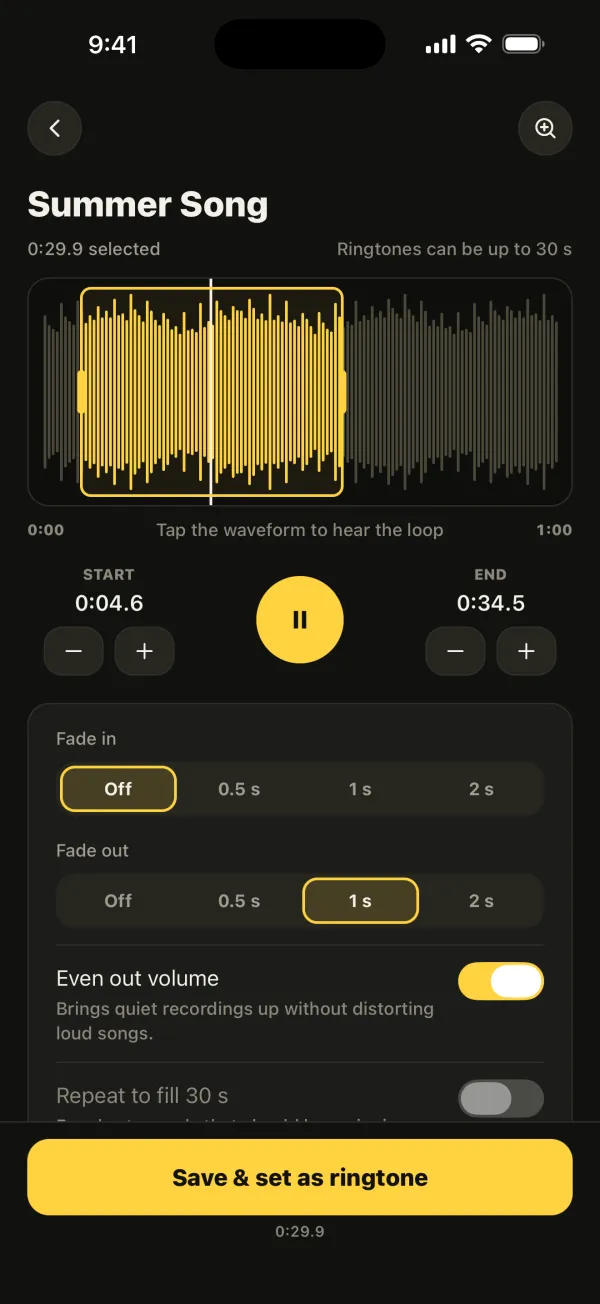
In Ringsy the sound opens directly on a waveform with a selection already under 30 seconds. You drag the handles, tap to hear the loop and tap “Save & set as ringtone”.
How precise is trimming?
GarageBand trims by dragging a region’s edges on a timeline you can zoom, with snapping to the grid (which you may want to turn off for speech). Ringsy has a zoomable waveform plus ±0.1-second nudges for the start and end, a hard 29.9-second ceiling, and Best part, which suggests the most recognisable stretch of a song.
What about volume and fades?
GarageBand has track volume and automation, which can make a fade if you draw it. Ringsy has fade in and fade out presets (0.5, 1 or 2 seconds) and an Even out volume switch, on by default, that brings quiet recordings up without distorting loud songs. Repeat to fill 30 s turns a short sound into a full-length ringtone.
When is GarageBand the better choice?
- You want to compose or layer sounds — a beat under a recording, a melody you play yourself.
- You are on iOS 17 or 18 and don’t want to install anything else. (Ringsy also routes through GarageBand there, so GarageBand is needed either way.)
- You make ringtones rarely and don’t mind the steps.
- You don’t want to spend anything: GarageBand is free without limits.
When is Ringsy the better choice?
- You make ringtones from videos, voice memos or shared files often and want it done in under a minute.
- The sound is quiet and needs levelling, or needs a clean fade.
- You are on iOS 26, where “Use as Ringtone” makes GarageBand optional.
- You want text tones and alerts too, with a guide for where to set them.
What do they have in common?
Both process audio on the iPhone. Neither can use Apple Music or other streaming songs, because those are copy-protected. Both are limited by iOS to ringtones under 30 seconds, and neither can assign a contact’s ringtone for you — that is done in Contacts.